
Last updated on September 29th, 2026 at 01:00 pm
The Google Search Console performance report shows which searches lead people to your website. Use it to decide which pages deserve attention and whether the issue is visibility, click-through rate or a mismatch between the search and your content.
What the four metrics mean
- Clicks: visits initiated through the Google Search results covered by the report.
- Impressions: appearances in those results, under Google’s counting rules.
- CTR: clicks divided by impressions.
- Average position: a summary of search positions, not a fixed ranking every person sees.
Do not judge an entire website by its average position. A new page gaining visibility for many searches can change the average even while the site gains useful traffic.
A practical workflow for one WordPress page
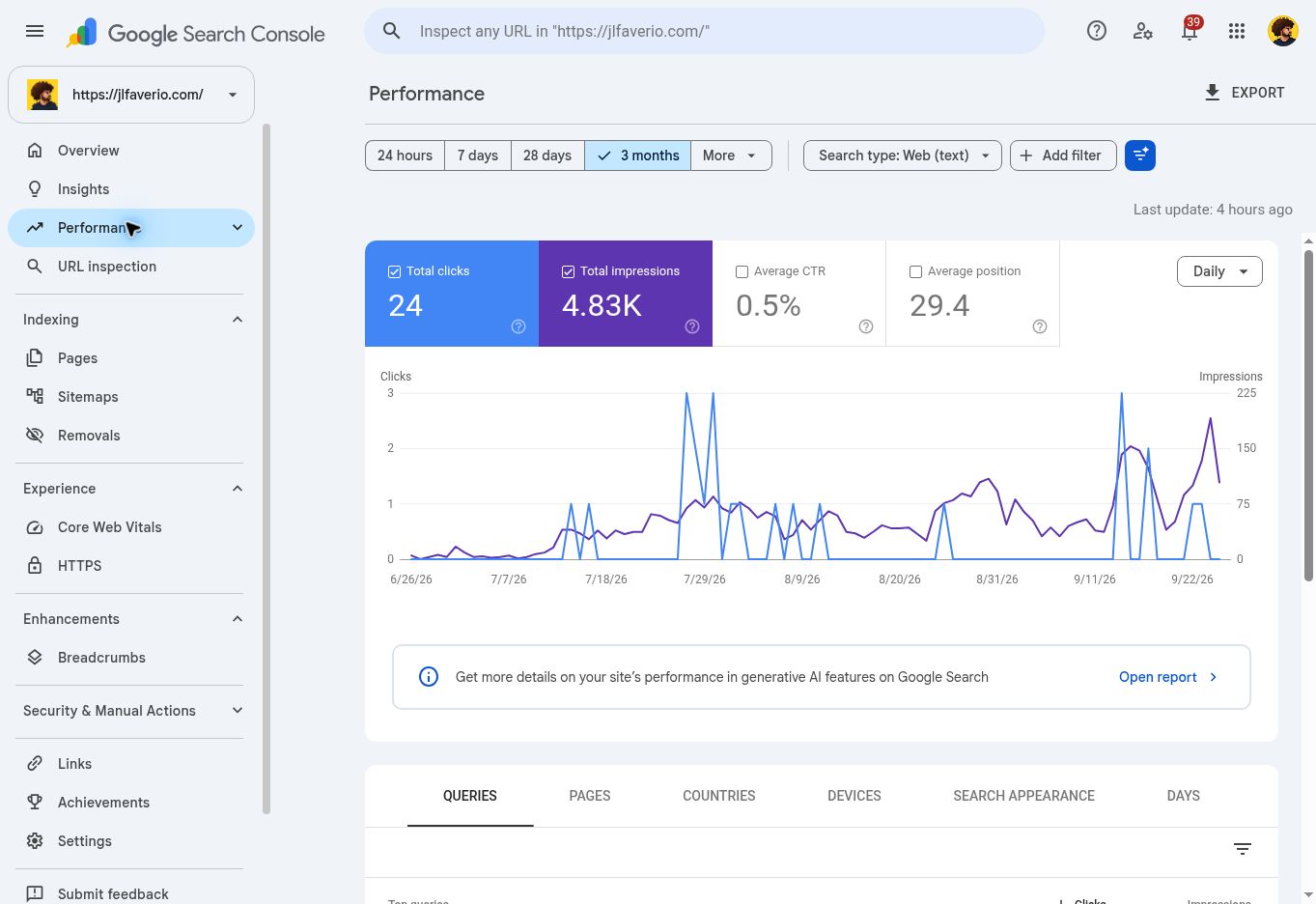
- Open Performance → Search results. Select the search type and a useful date range.
- Compare two periods of equal length. For seasonal businesses, also compare the same season in the previous year when data is available.
- Enable clicks, impressions, CTR and position. Open Pages and select the page you want to improve.
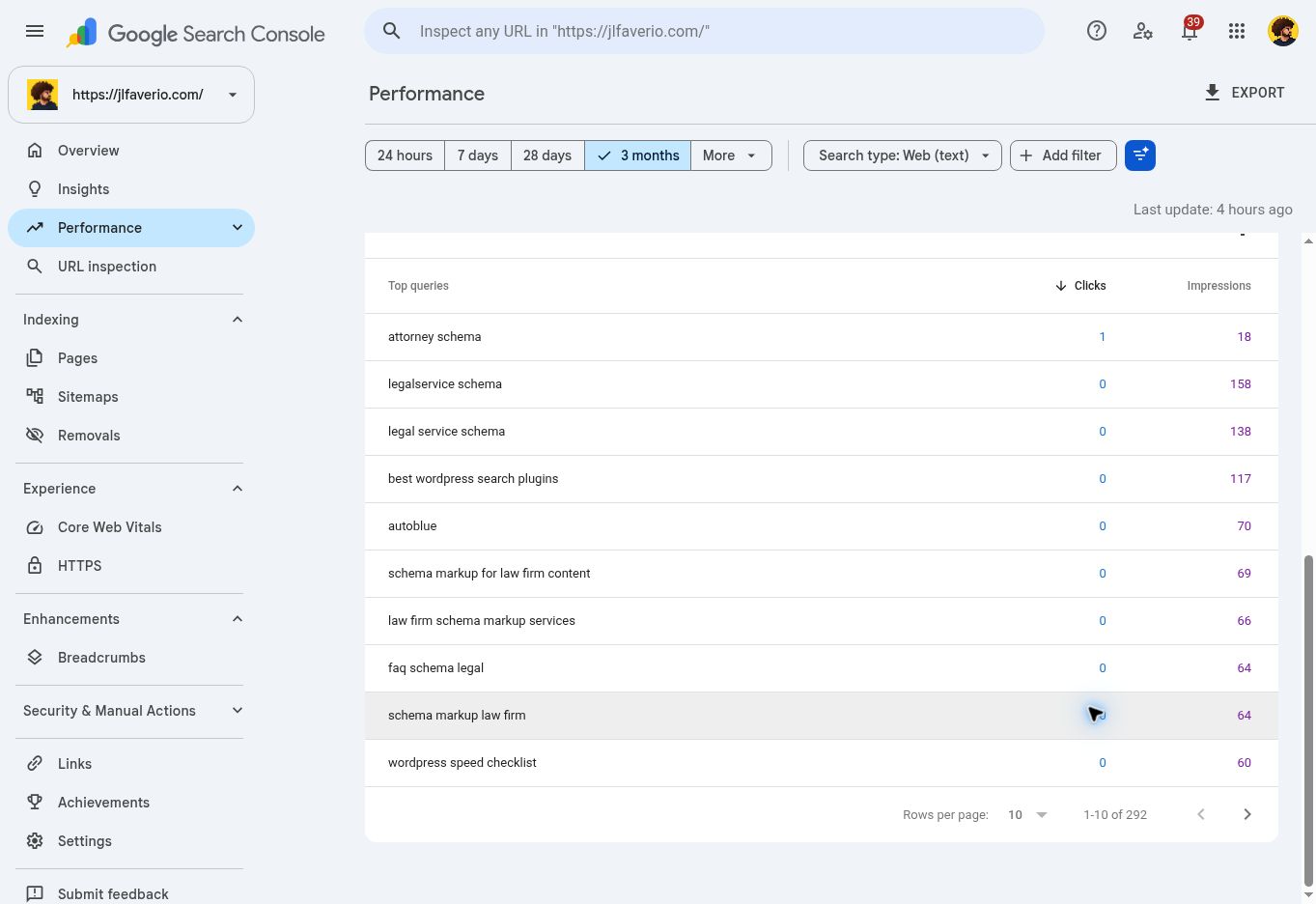
- Switch to Queries. You are now looking at searches associated with that page, rather than an unrelated sitewide keyword list.
- Check device and country differences before deciding what changed. Keep the same filters when you export or compare results.
- Write down one proposed change and a review date. Avoid changing the title, URL, content and template all at once without a reason.
Turn impressions into a useful task list
Consider this hypothetical example: a WordPress maintenance page has 1,200 impressions, 12 clicks and 1% CTR in a reporting period. That percentage alone does not tell you what to fix.
If the page appears mostly for informational searches about fixing an error, a sales title may be the wrong answer. Add a useful explanation or link to a dedicated troubleshooting article. If it appears for relevant service searches but usually ranks far below the leading results, strengthen the service information, evidence and internal links first.
If the page already appears prominently for relevant searches, inspect its search result presentation. A specific title that explains the service, audience and benefit may earn more attention than a generic title. Match the promise on the page. Do not advertise prices or turnaround times the business cannot deliver.
What to change in WordPress
- Use your SEO plugin to revise the search title and meta description when the current copy is vague.
- Improve the opening answer and headings so visitors can confirm they found the right page.
- Add contextual links from relevant existing articles.
- Keep an established URL unless there is a clear reason to move it. A keyword variation alone rarely justifies a migration.
When the page is missing entirely, move to URL Inspection. A content rewrite will not fix a server blocking Google.
Why totals and keyword tools may disagree
Search Console data and third-party traffic estimates measure different things. Query privacy filtering and reporting limits also mean the visible query rows are not necessarily the full dataset. Use consistent report filters and Google’s own clicks for this analysis.
Export the report to Google Sheets and add columns for the proposed change, date completed and result. Keep a separate record of leads or sales; clicks alone do not establish business value.
Frequently asked questions
What is a good CTR?
There is no useful universal target for every query. Compare similar searches, devices, positions and time periods, then focus on traffic that fits your business.
How soon should I review a content change?
Choose a review interval that gives the page enough impressions for a meaningful comparison. For a low-traffic page, a few days may be too little evidence. Check technical accessibility sooner if you made structural changes.
For a quick overview before this detailed work, see Search Console Insights.
Sources: Google’s Performance report overview and Performance report tasks.
