
Last updated on October 29th, 2026 at 12:44 pm
If you’ve noticed strange search queries or unusual behavior on your WordPress site, you’re not alone. WordPress powers over 40% of the web, making it a prime target for automated bots looking for vulnerabilities.
Recently, I logged into my WordPress dashboard and found odd search queries like /home/order/complete/id/1 and var_dump(md5(2333)) thanks to the help of one of the best WordPress plugins out there, Relevanssi.
See below screenshot.

Now I know these aren’t normal user searches. And with the help of ChatGPT, I was able to confirm these are most likely automated probes trying to exploit vulnerabilities in plugins or other databases.
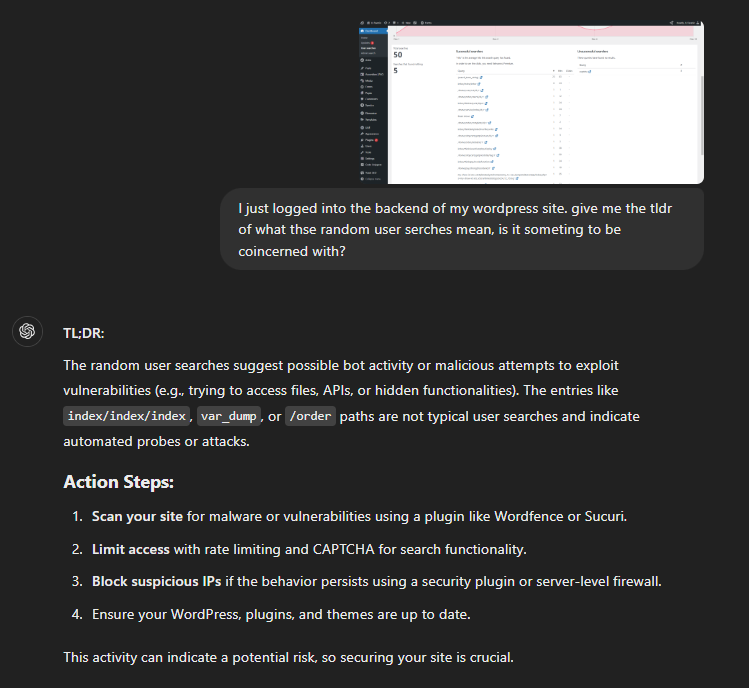
BTW, I no longer care about making typos with ChatGPT, it gets me.
Is it ok to trust what ChatGPT says?
Of course! But just like any other source, online or for real life, you should get a second opinion. For me, it’s good ole’ Google.
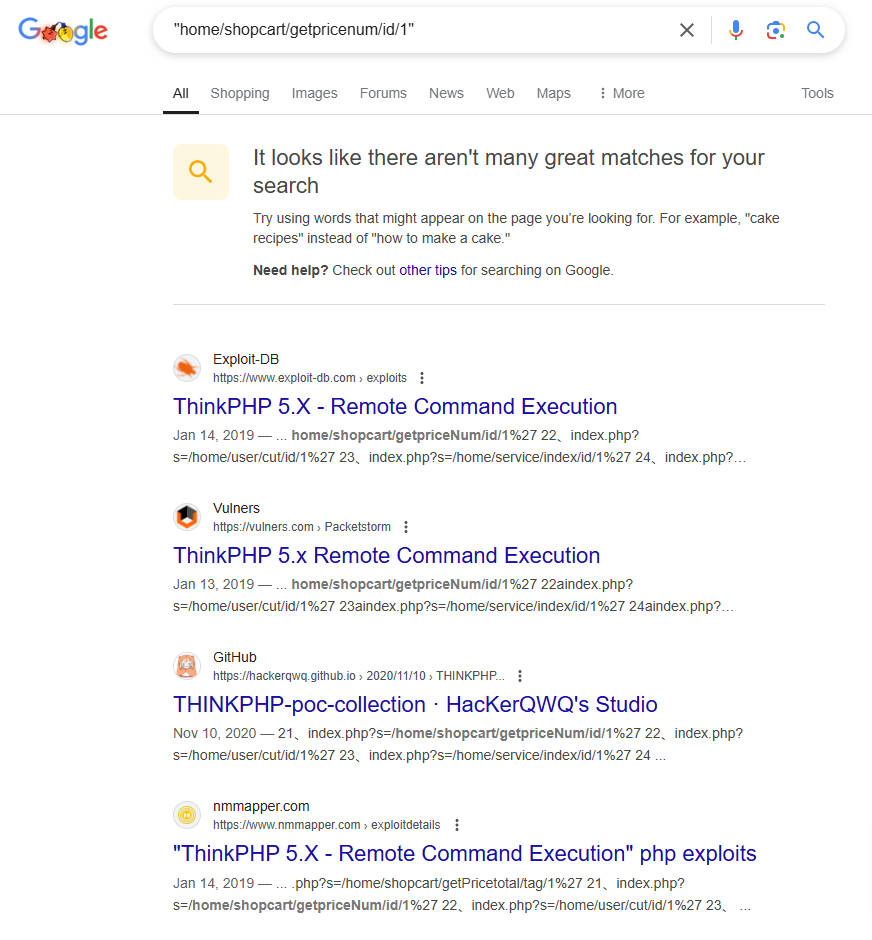
What are these bots looking for?
Bots are testing your site for:
- Exposed files or APIs like
/orderor/index. - Injection vulnerabilities (e.g., var_dump attempts to dump sensitive server data).
- Outdated plugins or themes that might have unpatched security holes.
Here’s why you should be concerned
While these bots may not succeed immediately, they pose a real threat. If your site isn’t properly secured, it could lead to:
- malware injection
- data theft
- website defacement or downtime
Now’s a great time for WordPress maintenance for your website.
5 ways to protect any WordPress site
Here’s how to safeguard your site from bot attacks:
- Install a security plugin: use tools like Wordfence or Sucuri to block malicious traffic and monitor activity.
- Update everything: keep WordPress, plugins, and themes up to date to patch vulnerabilities.
- Disable file editing: add
define('DISALLOW_FILE_EDIT', true);to yourwp-config.php. - Restrict sensitive endpoints: use
.htaccessor a firewall to block access to files likexmlrpc.phpand/wp-admin. - Scan for malware: run a full scan to ensure your site hasn’t already been compromised.
Please stay proactive
Bots are persistent, but with the right security measures in place, you can stay ahead of potential threats. Regular maintenance and monitoring are key to keeping your WordPress site safe.
Need help securing your WordPress site? Contact me for professional support!
